
Platform notes
- Apple
- Follow these steps with touch controls on iPhone or iPad, or use focus and select controls with the Apple TV remote.
- Android
- Follow these steps with touch controls on a phone or tablet, or use the directional pad and select button on Google TV.
1
Browse and watch
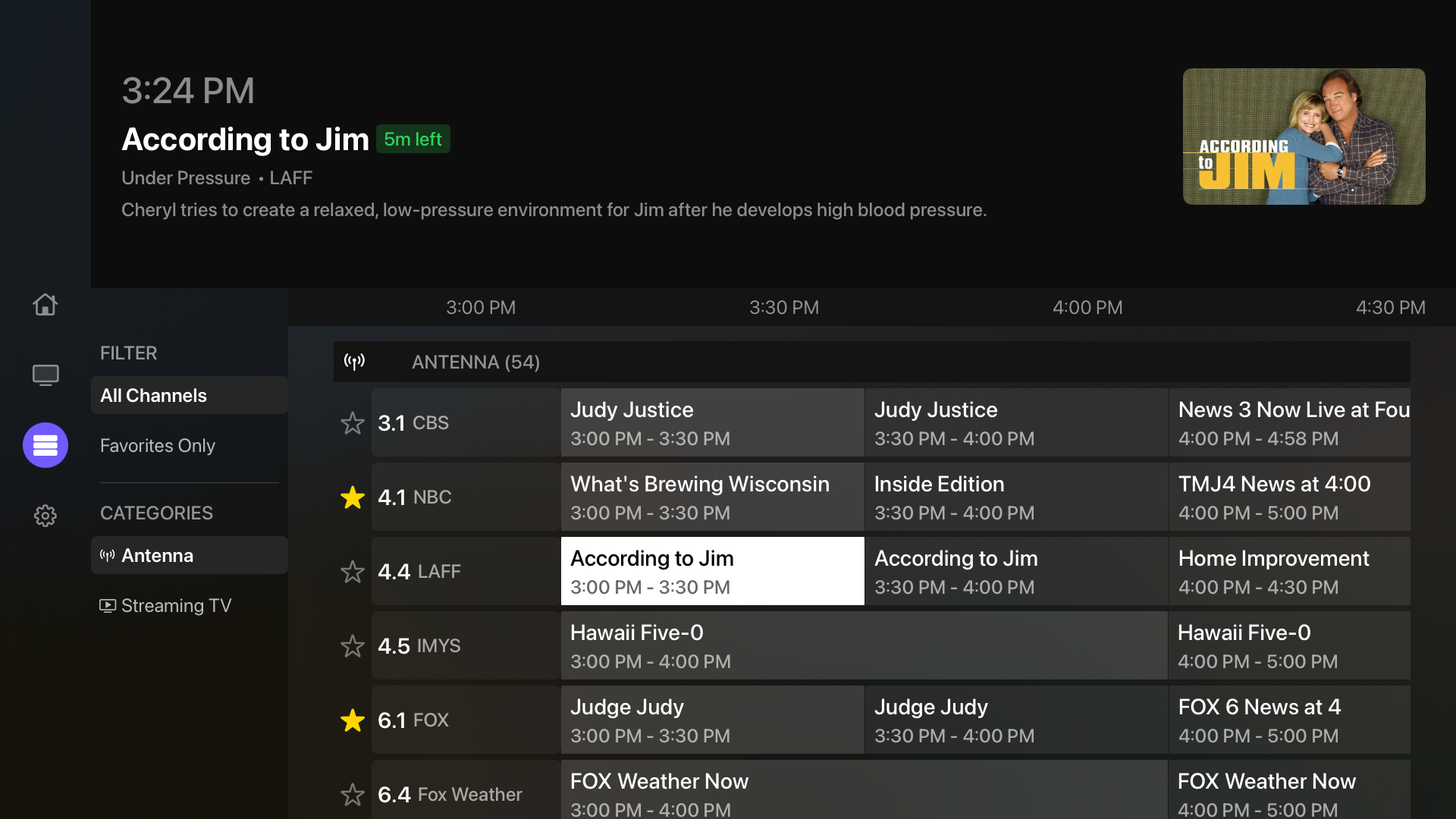
- 1Open Guide to browse channels from every connected source.
- 2Search by channel name or number and use the available filters to narrow the lineup.
- 3Choose a channel to watch it, or select up to four channels and start a matching multiview.
2
Favorite or hide channels
- 1Open Settings, then Channel Lineup or the source’s Manage Channels screen.
- 2Mark frequently used channels as favorites.
- 3For sources other than IPTV, hide channels you do not want in normal browsing. You can return to the hidden filter to restore them.
3
Build your IPTV lineup
- 1Open the IPTV source’s Manage Channels screen. My channels contains your lineup; Available channels lets you browse the provider catalog and add channels.
- 2Search by name, number, or group. Open a channel to preview it, customize its display name and number, or add it to My channels.
- 3Choose Select to add or remove several channels at once. Select all results includes every match across pages, and Undo restores the memberships changed by the bulk action.
- 4Filter by a group and use Add group or Remove group to change its membership in your lineup.
- 5Remove from My channels takes a channel out of your guide and channel pickers. It remains in Available channels so you can add it again.
- 6New sources start with an empty lineup. Hide new channels is on by default, so newly discovered provider channels stay out until you choose them.
4
Handle duplicate channels
When multiple sources contain the same channel, Multiview combines overlapping entries. Open Source Priority to put your preferred sources in order.
Good to know: Program information is supplied by your connected sources and providers, so availability and details can differ.